
Artwork File & Version Organizer for Artists
Keep your artwork files organised, your versions clear and your approved files easier to find.
US$24 — One-time purchase
Designed for illustrators, digital artists, photographers, surface pattern designers, graphic designers and other visual creators managing artwork, design files, versions and exports.
Organise your files, track changes and identify approved versions without a complicated file management system.
Digital download. No subscription required.
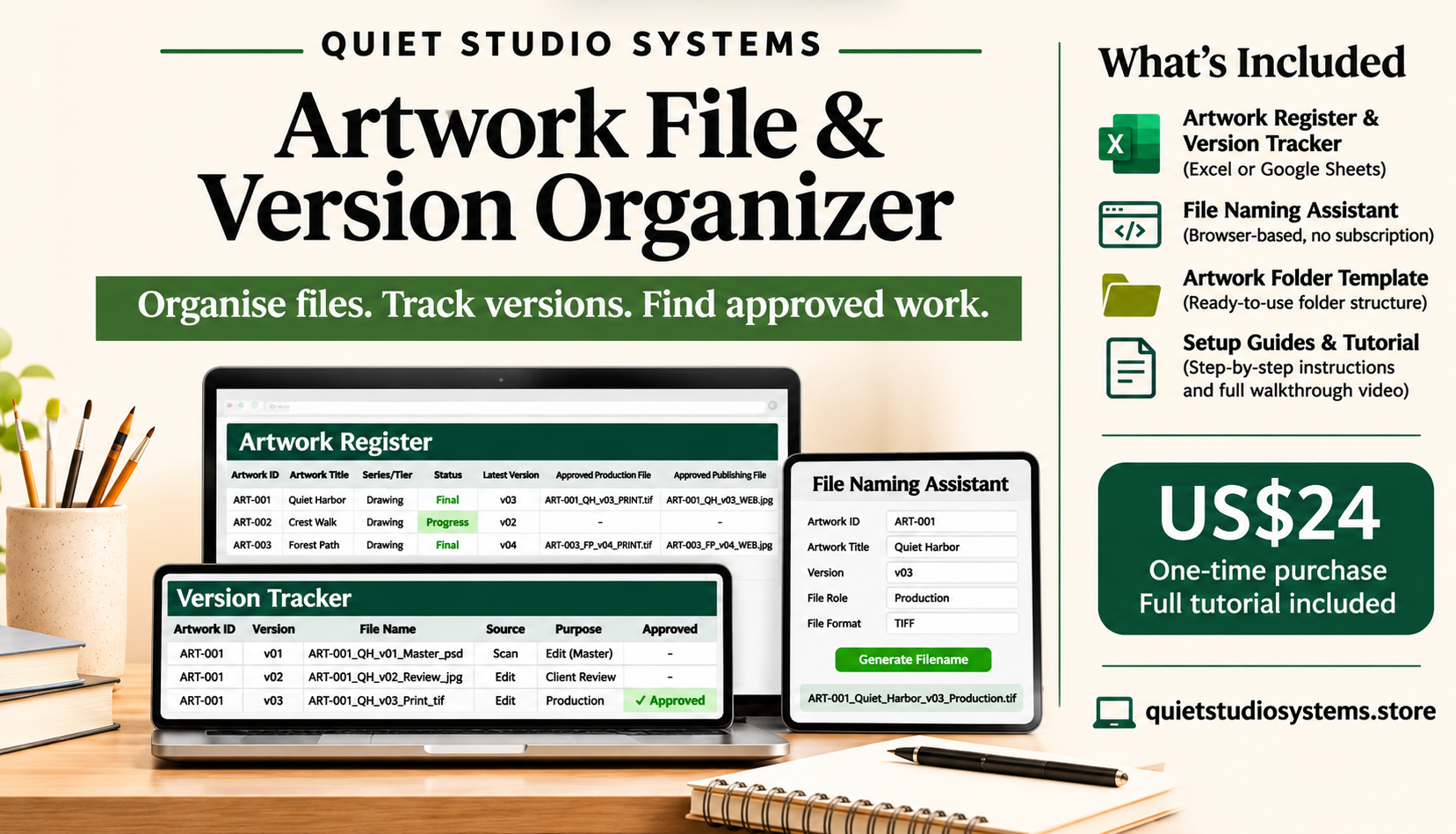
See the Artwork File & Version Organizer in Action
Watch this short product demonstration to see how the Artwork Register, File Naming Assistant and Version Tracker work together to help you organise your creative files.
See how the system works? Get the complete toolkit and full customer setup tutorial.
The Artwork File & Version Organizer gives you a practical, repeatable way to organise and retrieve those files.
Original images. Working versions. Print-ready exports. Website images. Supporting documents.
As your artwork collection grows, keeping track of the files connected to each piece can become increasingly difficult.
The Artwork File & Version Organizer gives you a practical, repeatable way to organise and retrieve those files.
What you can do
Organize each artwork: Give every artwork a consistent ID and folder structure.
Name files consistently: Generate filenames without inventing a naming convention each time.
Track files and versions: Record individual files and versions in one spreadsheet.
Identify approved files: See the latest recorded version and your approved Production or Publishing file.
Find what you need: Locate the recorded filename and folder without searching through unrelated files.
What's included
Studio Archive Workbook
An Excel workbook, also usable in Google Sheets, designed to register up to 1,000 artworks and track up to 8,000 associated files.
Keep a record of your artwork, its associated files, versions and approved outputs.
File Naming Assistant
A browser-based tool that generates consistent filenames and tracker entries.
Choose your own three-letter artwork ID prefix, such as ART, PHO or ILL.
Runs locally in your browser without an account or subscription.
Artwork Folder Template
A repeatable six-folder structure for organizing the files connected to each artwork.
Use the same structure across your growing artwork collection.
Setup Guide & First Artwork Walkthrough
Step-by-step instructions to help you set up the system, understand the workflow and practise with an example artwork.
The download also includes a START_HERE file to help you begin.
Ready to organize your artwork files?
Whether you're preparing files for print, updating your portfolio or keeping a growing archive manageable, this system helps you establish a repeatable way of working.
You don't need a complicated digital asset management platform to start organizing your files more consistently.
Get the Artwork File & Version Organizer
US$24 — One-time purchase
Digital download
No subscription required
Works with Microsoft Excel or Google Sheets
Browser-based File Naming Assistant
Yours to use and maintain
Delivery and support
Your purchase provides access to the downloadable product files.
If you have questions or need assistance, please use our Contact page.
Please review our Refund Policy before purchasing.
Important information
The Artwork File & Version Organizer is a manual organisation system. It is not cloud storage, backup software or automatic file management.
You remain responsible for saving, maintaining and backing up your artwork files.